Learn ReactJs

To Know more about ReactJs with the Restful API

Angular JS - Best Framwork

Learn New ideas and techique about the framework.

This is default featured slide 3 title

Go to Blogger edit html and find these sentences.Now replace these sentences with your own descriptions.

This is default featured slide 4 title

Go to Blogger edit html and find these sentences.Now replace these sentences with your own descriptions.

This is default featured slide 5 title

Go to Blogger edit html and find these sentences.Now replace these sentences with your own descriptions.

React

React
Fundamental of React Js

Sunday, November 5, 2017

15 Interesting JavaScript and CSS Libraries

15 Interesting JavaScript and CSS Libraries

2017

displayjs.jpg

DisplayJS

Tiny framework that makes it easier to sync data with the DOM. Instead of having to manually set and update the content of the page, with DisplayJS you can simply map JavaScript variables to specific HTML elements, similarly to how React or Vue.js handle templating.

React Beautiful DnD

A React library by Atlassian for making drag-and-drop components. It offers a clean and powerful API that is easy to use while still offering lots of customization options and controls. The generated components have smooth GPU-powered animations that naturally reflect when elements are picked up or reordered.

r2.png

r2

This is an updated version of the popular Node.js request library. It presents a more lightweight HTTP client solution that is built on top of the browser's native Fetch API and shimmed for Node.js. R2 is only 16K in size when compressed, compared to request's ~500K footprint.

primer.png

Primer CSS

A CSS framework used for GitHub's front-end design. It has 23 packages that are divided into 3 core meta-packages for easier installation. Each package is independently versioned and distributed via npm, which makes it easy to include only the modules you need.

puppeteer.png

Puppeteer

Puppeteer is a high-level Node.js API for working with the new headless Chrome feature. It is an official Google project maintained by the Chrome DevTools team. You can read more about it in our article Automating Google Chrome with Node.js where we try out some of its features.

marko.png

Marko

New JavaScript framework in the likes of React and Vue.js. It allows you to break your application into components that are self-contained and describe how the application view changes over time and in response to user actions. Marko automatically updates the DOM to reflect the data in your app.

redocx.png

redocx

React library for generating word documents. It allows you to define text documents using React components and then render them to Word via the command line. There are components for tables, images, headers, footers, and everything else you may need.
fuzzysort.gif

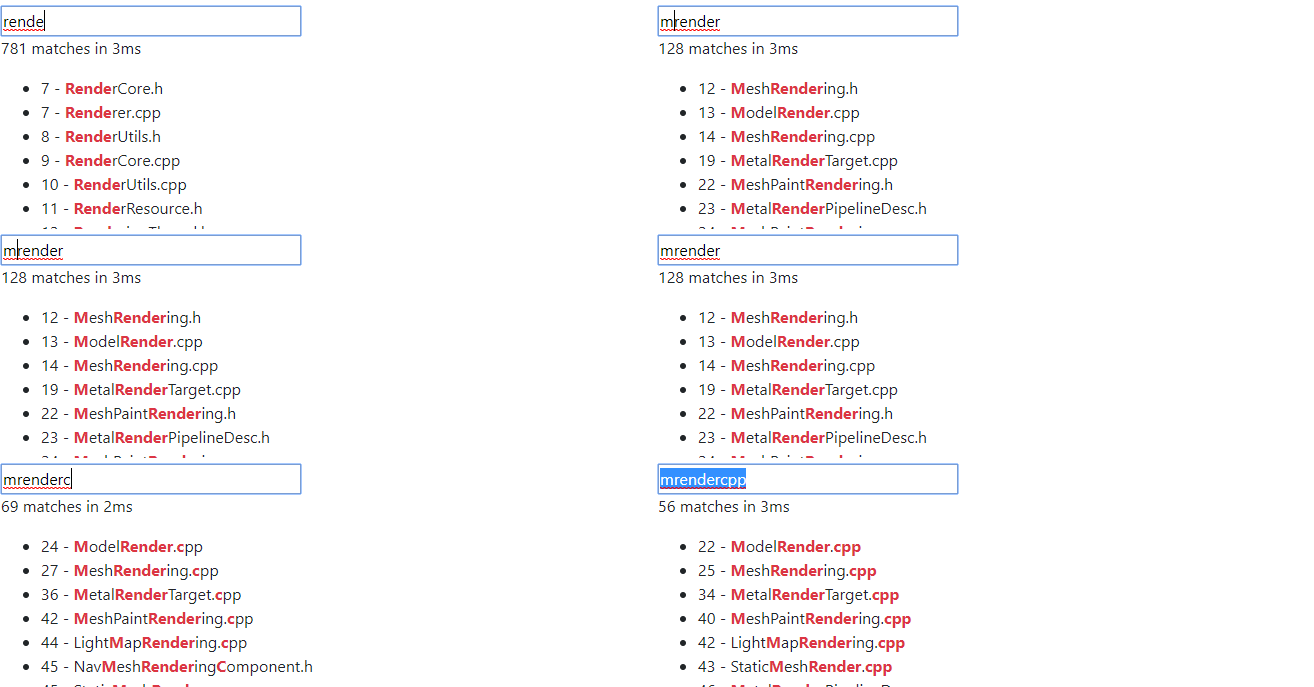
fuzzysort

JavaScript library for building fuzzy search interfaces similar to the ones you can find in text editors like Sublime Text. It allows users to find what they search for, even if they make a typo. The library calculates a score for each entry depending on how close it matches the search query.
trowel.jpg

Trowel

A SASS extension which offers a new way to write scss variables. It allows you to group multiple variables into a single object, making your scss easier to read and write.

vivify.png

Vivify

Vivify is a CSS-only animation library. You simply need to add the vivify class to the element you want to animate. You can also add the infinite class to make the animations repeat on a loop. The library offers a large selection of over 50 animations with different effects and movement directions.
checkbox.png

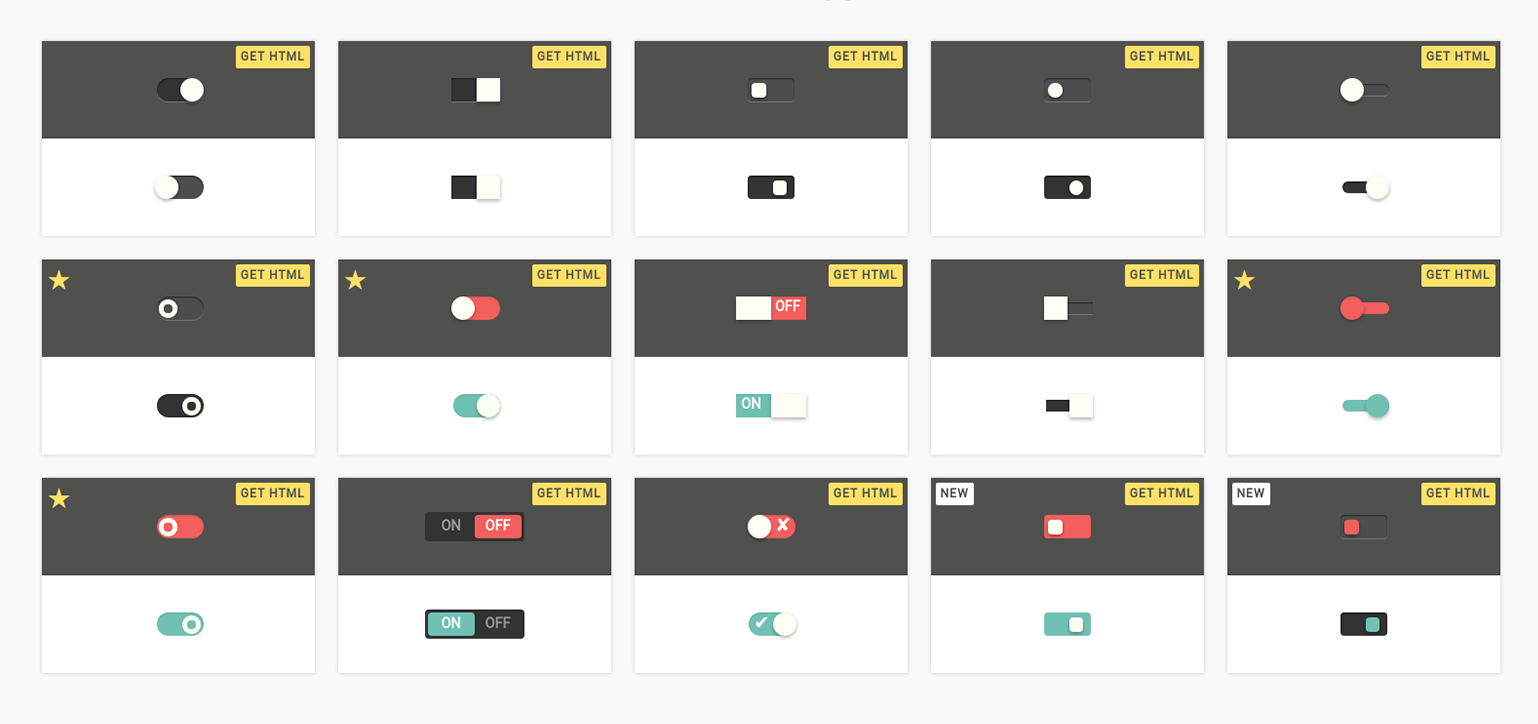
Tons of Checkboxes

A collection of CSS-only checkbox components. There are many different styles including Toggles, Switches, Circles and Squares. All of the checkboxes come in four sizes from small to xlarge. Compatible with all modern browsers including IE9+.

push.png

Push

Push is the fastest library for managing JavaScript desktop notifications. It is based on the powerful Notification API but also acts as a reliable cross-browser solution, falling back to older implementations if the user’s browser does not have support for the new API.

react-impro.png

react-imgpro

A React component for image processing. It allows you to modify an image using filters and then export it in base64 format. It is very easy to use, you just have to specify an url to your image, the filters you want to apply and the output size and format.

lozad.jpg

Lozad.js

Lozard is a pure JavaScript library for lazy loading images, iframes and other HTML elements. It is based on the new IntersectionObserver API, which allows it to monitor the position of elements without relying on any external dependencies. It is very lightweight, just 535 bytes minified and gzipped.


smiotic.png

Semiotic

Data visualization framework that combines React and D3. It offers three types of frames (XYFrame, ORFrame, NetworkFrame) allowing you to generate some non-traditional charts. The way data is displayed can be further customized by adjusting the settings of the frame or adding your own CSS styles.

5 BEST JAVASCRIPT FRAMEWORKS IN 2017

5 BEST JAVASCRIPT FRAMEWORKS 2017

JavaScript popularity continues its rising. In 2016 we’ve witnessed such great changes, as AngularJS entire upgrade and introduction of Angular 2, ultimate dominating of jQuery that is applied on 96.5% of all JS sites, evolution of ECMAScript, two updates of Node.js in April and October accordingly, React finest hours, and even more.  What to expect from 2017? – Here’s what we know so far: Angular 4 is expected in March 2017, ES2017 edition is planned for mid-2017, Bootstrap v4 release should be anticipated this year as well.
Lately JavaScript was named among the best programming languages to learn in 2017 by IBM. At this stage it is used on both client- and server-sides and helps to design flavorful interfaces, enrich web apps with numerous functions and features, modify web pages in real time and much more.  
In the meanwhile, JavaScript web frameworks can become a silver bullet for quick web app development. They serve as a skeleton for single page apps, allow developers to worry less about code structure or maintenance while focusing on creation of complex interface elements, and expand opportunities of JS and plain HTML.

The advantages of using JavaScript frameworks

  • Efficiency – projects that used to take months and hundreds of lines of code now can be achieved much faster with well-structured prebuilt patterns and functions.
  • Safety - top javascript frameworks have firm security arrangements and are supported by large communities where members and users also act as testers.
  • Cost – most frameworks are open source and free. Since they help programmers to build custom solutions faster, the ultimate price for web app will be lower.
  • Angular-s

    Best JavaScript frameworks in 2017
    After a long-awaited release of Angular back in 2016, its popularity has touched new heights, though AngularJS will hold off on giving ground in 2017.
    Angular.js is often referred to as an MVW (Model-View-Whatever) framework and among the top benefits, for startups and mid-sized companies, people name: quick code production, easy testing of any app part and two-way data binding (changes in the backend are immediately reflected on the UI). Since release its ecosystem has gone beyond imagination. As for now, it is reasonably called the most used JS framework for SPAs (Single-Page Applications) development and it boasts the largest community of developers.
    Angular2 comes with a long list of features that enable building everything, ranging from web to desktop and mobile. Framework is built with TypeScript from Microsoft with an eye to making JavaScript more agile and attractive for large enterprises. ng2 features a component-based architecture, improved DI (dependency injection), efficient logging service, inter-component communications and more.
    Both Angular-s are a better option for enterprise-based applications or for strict programming environments with high standards for code readability.   

ReactJS

Best JavaScript frameworks in 2017
We’ve already made React and Angular comparison, despite the fact that it is more of a library than a JS framework. It stands behind user interfaces of Facebook and Instagram, showing its efficiency within dynamic high-traffic applications.
It is rightly considered the fastest growing JS framework: as of today, there are about 1,000 contributors on Github. In MVC (Model-View-Controller) pattern React.js acts as “V” and can be smoothly integrated with any architecture. Due to the usage of virtual DOM it provides a great performance boost, comparing to Angular 1.x. In addition to that, React components can be created and re-used among applications or even transferred for public use.   
Despite the fact that React requires a higher learning curve, it makes app development straightforward and easy-to-understand. Furthermore it can be a perfect fit for complex, high-load and awesome software solutions. 

Vue.js

Best JavaScript frameworks in 2017
Vue 2.0 was also introduced in 2016 and it took the best from Ember, React and Angular, putting all that into a handy package. It is proved to be faster and leaner, comparing to React and Angular 2.0.
Going deeper, Vue.js offers two-way data binding (seen in AngularJS), server-side rendering (like in Angular2 and ReactJS), Vue-cli (scaffolding tool for quick start) and optional JSX support. Its founder states that Vue 2 is one of the fastest frameworks all in all.
Vue.js is a better choice for quick development of cross-platform solutions. It can become a firm basis for high-end single page applications (SPAs) and beneficial solution to those cases, when performance is put ahead of good code organization or app structure.

Ember.js

Best JavaScript frameworks in 2017
Back in 2015 Ember was called the best javascript framework for web application, leaving behind React and AngularJS. Today it boasts a huge online community, regular updates and wide appliance of JavaScript best practices to guarantee ultimate experience right out of the box.
Ember features two-way data binding, like Angular.js, keeping both view and model in sync for all the time. Applying Fastboot.js module it ensures prompt server-side rendering of DOM, improving performance of complex UIs.
Emberjs is commonly usable for complex feature-rich web applications and website. Among the top users are Chipotle, Blue Apron, Nordstrom, Kickstarter, LinkedIn, Netflix and many others. Moreover it has an easier learning curve and there are oceans of tutorials and guide available online.

Meteor.js

Best JavaScript frameworks in 2017
Meteor is among the most popular JavaScript frameworks but which comes well-heeled with tons of features for back-end development, front-end rendering, database management and business logic. Since release in 2012 its ecosystem has grown drastically and at a swift rate.
This full-stack platform enables fast development of end-to-end web and mobile applications in pure JavaScript. Due to modular structure all the packages and libraries can be used at pace. In terms of performance, all the changes in the database are immediately transmitted to the UI and in conversely with no evident time losses caused by different languages or server response time.
MeteorJS covers all the phases of software development cycle and takes care of such glooming processes as linking, files concatenation and others. It is of current usage in real-time application development for business companies like Mazda, IKEA, Honeywell and many others.

JavaScript framework comparison:

 AngularJSAngular 2ReactJSVue.jsEmber.jsMeteor.js
Definition
MVW
framework
MVC
framework
JavaScript
library
MVC
framework
MVC
framework
JavaScript
app platform
1st Release200920162013201420112012
Homepageangularjs.organgular.ioreactjs.netvuejs.orgemberjs.commeteor.com
# Contributors on GitHub1,56239291262636328
GitHub Star Rating54,40219,83257,87839,93317,42036,496

Conclusion

Taking an option on the right JavaScript framework is not about features that each can offer. It depends on initial company goals, project requirements, general framework functionality and how it can be applied within each particular case.  

When it comes to quick web development or prototyping, JavaScript frameworks are among the most favorable and 2017 won’t become an exception. These frameworks and libraries have already reshaped the way how JS collaborates with HTML and CSS to compile views both in browsers and, by now, on native platforms.  

Saturday, November 4, 2017

ReactJS - Component Life Cycle

Lifecycle Methods

  • componentWillMount is executed before rendering, on both the server and the client side.
  • componentDidMount is executed after the first render only on the client side. This is where AJAX requests and DOM or state updates should occur. This method is also used for integration with other JavaScript frameworks and any functions with delayed execution such as setTimeout or setInterval. We are using it to update the state so we can trigger the other lifecycle methods.
  • componentWillReceiveProps is invoked as soon as the props are updated before another render is called. We triggered it from setNewNumber when we updated the state.
  • shouldComponentUpdate should return true or false value. This will determine if the component will be updated or not. This is set to true by default. If you are sure that the component doesn't need to render after state or props are updated, you can return false value.
  • componentWillUpdate is called just before rendering.
  • componentDidUpdate is called just after rendering.
  • componentWillUnmount is called after the component is unmounted from the dom. We are unmounting our component in main.js.
  • For Example,we will set the initial state in the constructor function. The setNewnumber is used to update the state. All the lifecycle methods are inside the Content component.

  • App.jsx

    import React from 'react';
    
    class App extends React.Component {
    
       constructor(props) {
          super(props);
      
          this.state = {
             data: 0
          }
    
          this.setNewNumber = this.setNewNumber.bind(this)
       };
    
       setNewNumber() {
          this.setState({data: this.state.data + 1})
       }
    
       render() {
          return (
             <div>
                <button onClick = {this.setNewNumber}>INCREMENT</button>
                <Content myNumber = {this.state.data}></Content>
             </div>
          );
       }
    }
    
    class Content extends React.Component {
    
       componentWillMount() {
          console.log('Component WILL MOUNT!')
       }
    
       componentDidMount() {
          console.log('Component DID MOUNT!')
       }
    
       componentWillReceiveProps(newProps) {    
          console.log('Component WILL RECIEVE PROPS!')
       }
    
       shouldComponentUpdate(newProps, newState) {
          return true;
       }
    
       componentWillUpdate(nextProps, nextState) {
          console.log('Component WILL UPDATE!');
       }
    
       componentDidUpdate(prevProps, prevState) {
          console.log('Component DID UPDATE!')
       }
    
       componentWillUnmount() {
          console.log('Component WILL UNMOUNT!')
       }
     
       render() {
          return (
             <div>
                <h3>{this.props.myNumber}</h3>
             </div>
          );
       }
    }
    
    export default App;

    main.js

    import React from 'react';
    import ReactDOM from 'react-dom';
    import App from './App.jsx';
    
    ReactDOM.render(<App/>, document.getElementById('app'));
    
    setTimeout(() => {
       ReactDOM.unmountComponentAtNode(document.getElementById('app'));}, 10000);
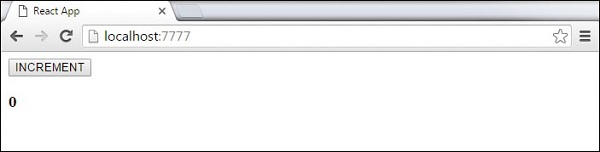
    After the initial render, we will get the following screen.
    React Component Lifecycle Initial Screen
  • Only componentWillMount and componentDidMount will be logged in the console, since we didn't update anything yet.
    React Component Lifecycle Initial Log
    When we click the INCREMENT button, the update will occur and other lifecycle methods will be triggered.
    React Component Lifecycle Change Log
    After ten seconds, the component will unmount and the last event will be logged in the console.
    React Component Lifecycle Unmount Log